

Video Editing with DaVinci Resolve
Last Updated:
19 May 2026
Number of Students:
33 Students
Accreditation:
CPD Accredited
Prerequisites:
No formal qualification required (Anyone can participate)
Course Rating:
4.8 out of 5
Course Curriculum
6 Sections | 44 Lessons
Module 01: Introduction
2m
Module 02: Downloading DaVinci Resolve
2m
Module 01: Importing media in the Media Page
5m
Module 02: Working in the Cut Page
10m
Module 03: Overview of the Edit Page
15m
Module 04: The Colour Page Part 1
8m
Module 05: The Colour Page Part 2
6m
Module 06: The Fairlight Page
5m
Module 07: The Fusion Page
5m
Module 08: The Deliver Page
7m
Module 09: The Menu
3m
Module 01: Reconnecting Media
1m
Module 02: Adding Titles
3m
Module 03: Adjustment Layers
3m
Module 04: Fade ins and Overlays
3m
Module 05: Stabilising Footage
2m
Module 06: Adding Blurs
2m
Module 07: Right Click
5m
Module 08: Crop
2m
Module 09: Audio - Mono to Stereo
1m
Module 10: Review Video
1m
Module 11: Speed Adjustment
3m
Module 12: Creative Effects part 1
5m
Module 13: Creative Effects part 2
2m
Module 14: Creative Effects part 3
1m
Module 15: Subtitling
3m
Module 16: Exporting an Alpha Channel
3m
Module 17: Highlighting an area
3m
Module 18: Recording Audio in Fairlight
2m
Module 19: Countdown timer
4m
Module 20: Green Screen Chroma Key
5m
Module 21: Green Screen Delta Key
2m
Module 22: Masking in the Colour Page
3m
Module 23: Make you footage look like VHS
4m
Module 24: Mask Tracking
3m
Module 25: Moving Masks
4m
Module 26: Recording a podcast
9m
Module 27: Importing an XML file
2m
Module 28: Multicam Edit
4m
Module 29: Auto Scene Cut Detect
2m
Module 01: Editing a Dance Film part 1
2m
Module 02: Editing a Dance Film part 2
13m
Module 01: Final Thoughts
1m
Order Your Certificates or Transcripts
Course Reviews
No reviews yet.
6 Sections | 44 Lessons
Module 01: Introduction
2m
Module 02: Downloading DaVinci Resolve
2m
Module 01: Importing media in the Media Page
5m
Module 02: Working in the Cut Page
10m
Module 03: Overview of the Edit Page
15m
Module 04: The Colour Page Part 1
8m
Module 05: The Colour Page Part 2
6m
Module 06: The Fairlight Page
5m
Module 07: The Fusion Page
5m
Module 08: The Deliver Page
7m
Module 09: The Menu
3m
Module 01: Reconnecting Media
1m
Module 02: Adding Titles
3m
Module 03: Adjustment Layers
3m
Module 04: Fade ins and Overlays
3m
Module 05: Stabilising Footage
2m
Module 06: Adding Blurs
2m
Module 07: Right Click
5m
Module 08: Crop
2m
Module 09: Audio - Mono to Stereo
1m
Module 10: Review Video
1m
Module 11: Speed Adjustment
3m
Module 12: Creative Effects part 1
5m
Module 13: Creative Effects part 2
2m
Module 14: Creative Effects part 3
1m
Module 15: Subtitling
3m
Module 16: Exporting an Alpha Channel
3m
Module 17: Highlighting an area
3m
Module 18: Recording Audio in Fairlight
2m
Module 19: Countdown timer
4m
Module 20: Green Screen Chroma Key
5m
Module 21: Green Screen Delta Key
2m
Module 22: Masking in the Colour Page
3m
Module 23: Make you footage look like VHS
4m
Module 24: Mask Tracking
3m
Module 25: Moving Masks
4m
Module 26: Recording a podcast
9m
Module 27: Importing an XML file
2m
Module 28: Multicam Edit
4m
Module 29: Auto Scene Cut Detect
2m
Module 01: Editing a Dance Film part 1
2m
Module 02: Editing a Dance Film part 2
13m
Module 01: Final Thoughts
1m
Order Your Certificates or Transcripts
92% Discount Offer Ends in
08
Hours
00
Minutes
00
Seconds
£125.00£19.00
TAKE THIS COURSE
OR
ALL COURSES FOR £50 
 14 Days Money Back Guarantee
Related Courses

 32 Students
 Tutor Support
 17m
17m
 Certificate
CompTIA A+ Complete Course (220-1201 & 220-1202)
 22 Students
Tutor Support
47m
Certificate
22 Students
Tutor Support
47m
Certificate
Arduino Project: Build a Smart Car Parking Sensor System
 1 Students
Tutor Support
3h 29m
Certificate
1 Students
Tutor Support
3h 29m
Certificate
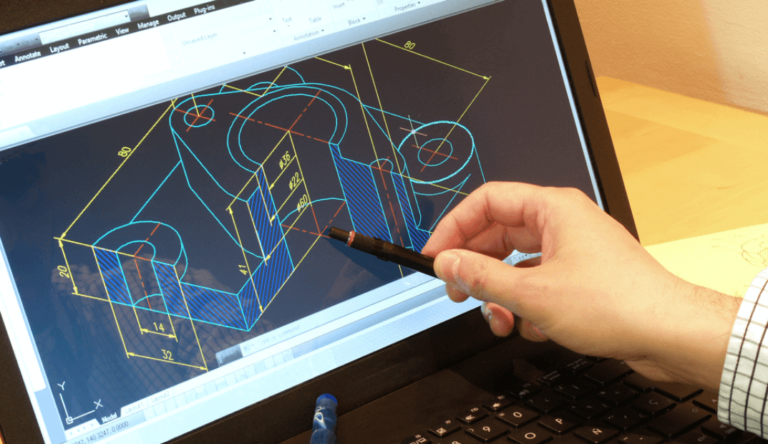
AutoCAD 3D: From Basics to Advanced Modelling
 13 Students
Tutor Support
7h 38m
Certificate
13 Students
Tutor Support
7h 38m
Certificate